Journal & your discipline streak
The Journal is built from the classification you give every trade in the cooldown. It answers one question honestly: is your profit coming from your plan, or from luck?
The Journal page
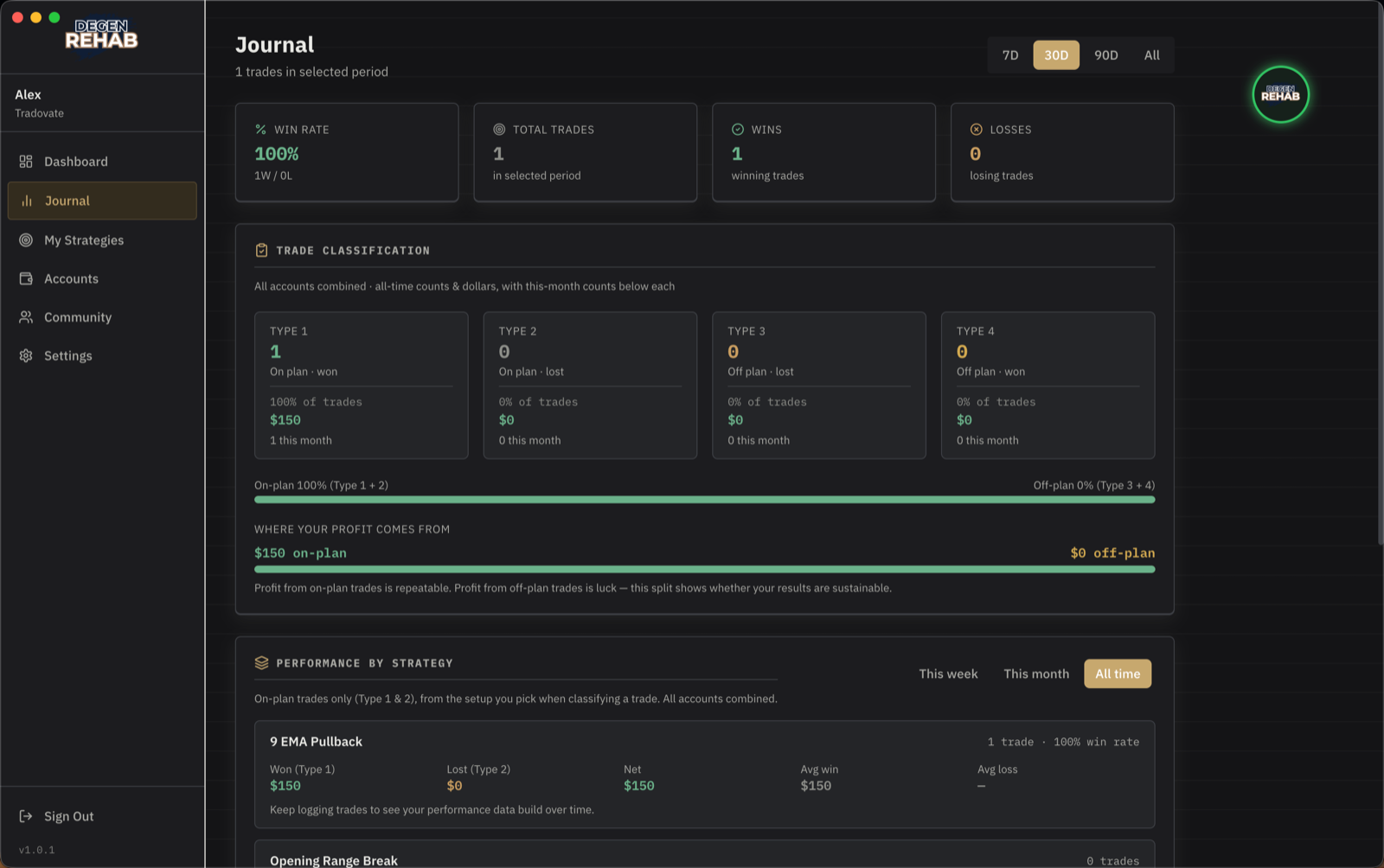
- Range picker. 7, 30, or 90 days, or all time, for the headline stats at the top.
- Trade classification. Counts and dollars for each of the four trade types, all accounts combined, with this month's counts under each. Below it, the split between on-plan and off-plan trades, and where your profit comes from. Profit from on-plan trades is repeatable. Profit from off-plan trades is luck. If more than 30% of a month's winners are Type 4, the card warns you.
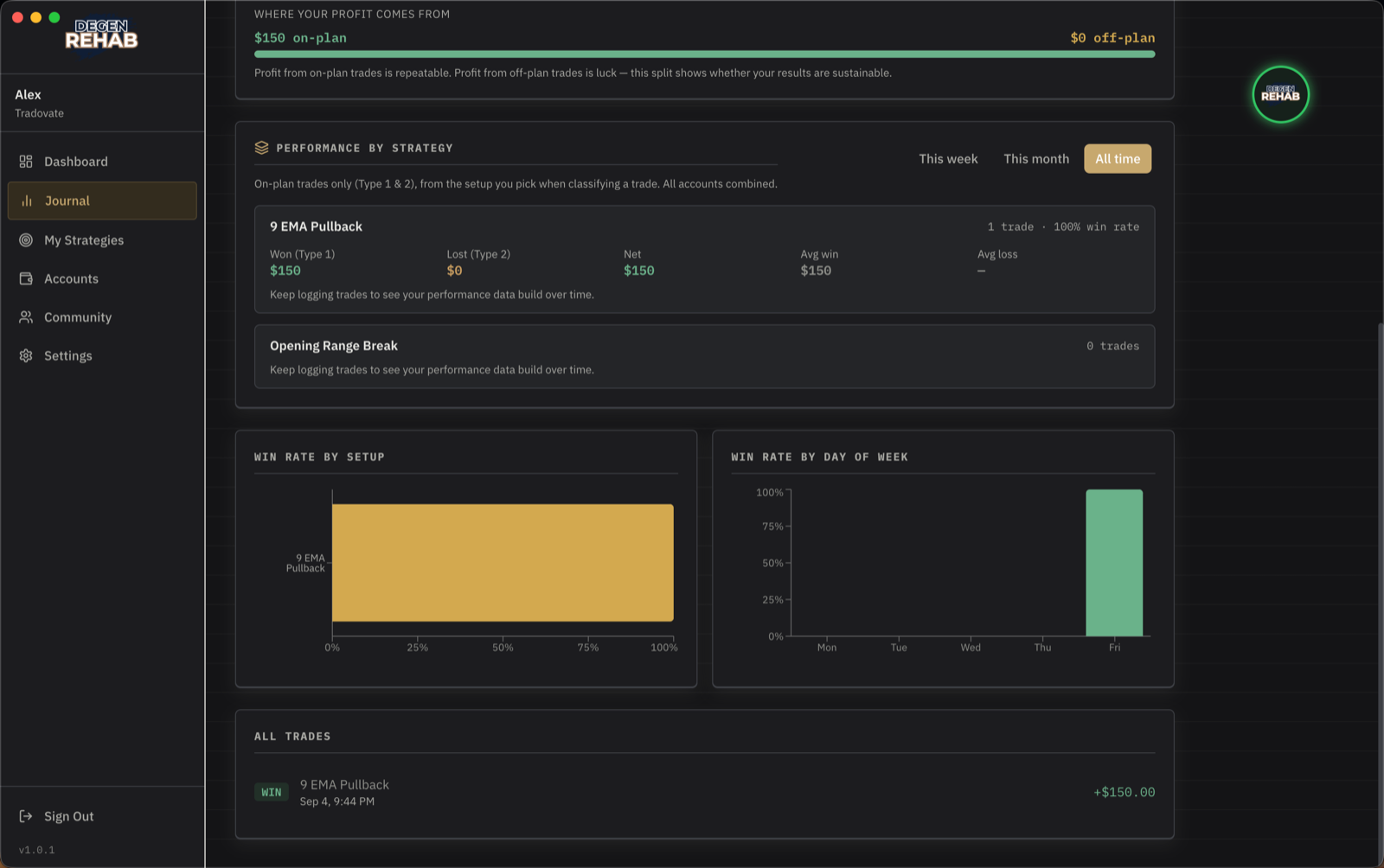
- Performance by strategy. One block per A+ setup, on-plan trades only, with won, lost, net, and averages. Filter by this week, this month, or all time. Rename a strategy and it starts a fresh block, so old trades keep the name they were logged with.
- Off-plan trade analysis. Appears once you have Type 3 or 4 trades. Groups the reasons you gave and shows what each one has cost you.
- Win rate by setup and by day of week, and the list of every trade with its P&L.
How the discipline streak works
The streak on your Dashboard counts consecutive days you followed your own plan. It is not about money. A losing day that followed your rules keeps the streak. Hitting your daily loss limit keeps the streak, because stopping at your limit is the system working.
Only two things break it:
- An off-plan trade. Any trade you classify as Type 3 or Type 4.
- Getting around a lockout. Trading while locked, from any device or with the app closed, removing the protective stop twice, or using the emergency escape on the blackout screen. Simply closing the app on a locked day is fine: the lock stays on your accounts.
Your cohort sees your streak, and the app posts in your cohort chat when you break it. That is deliberate. Accountability is the product.
Logging trades by hand
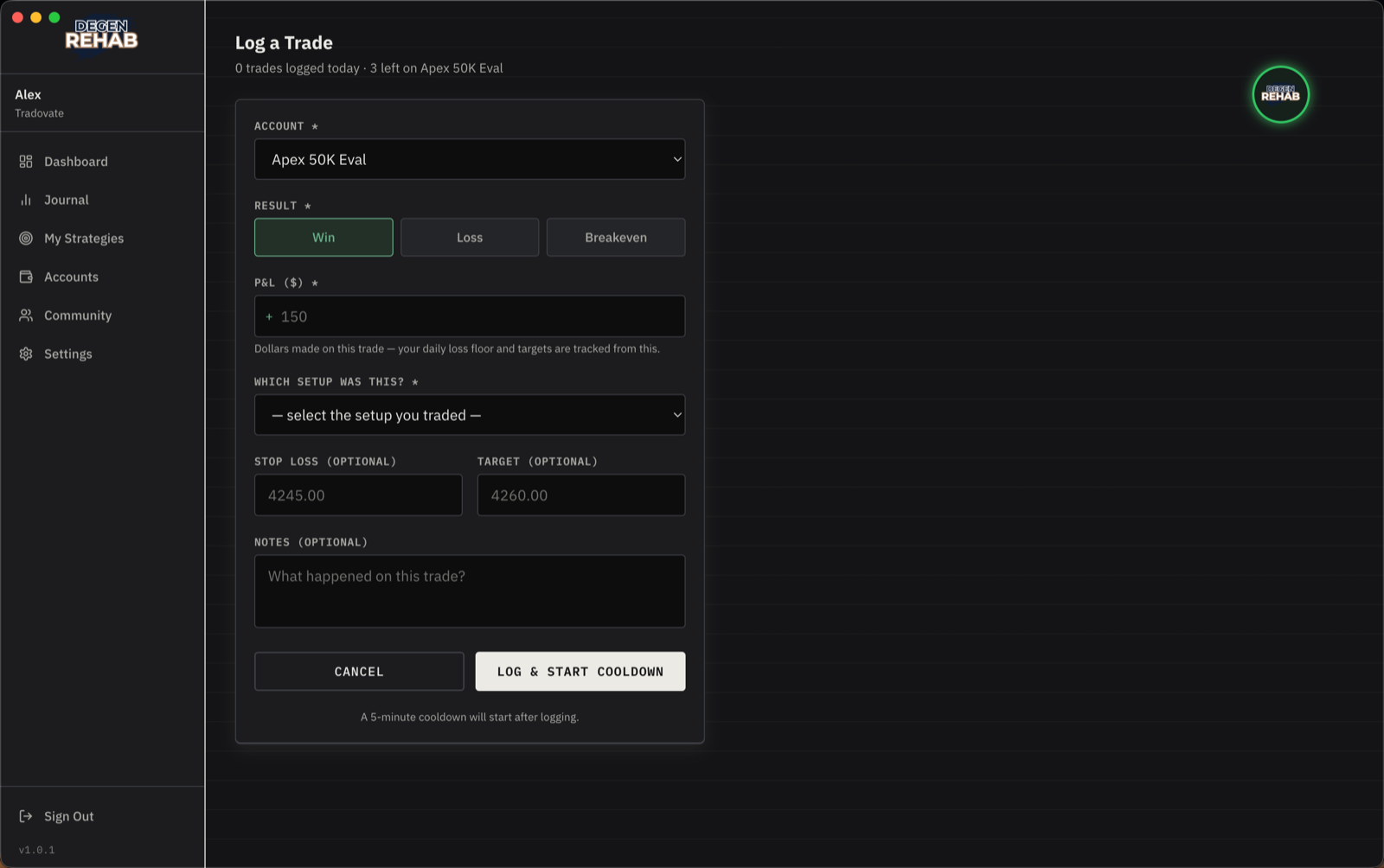
With a platform connected you rarely need this: closed trades are detected, and the app asks you to confirm the result before the cooldown starts. Without a connection, click Log Trade on the Dashboard after every trade. Choose the account, the result, the dollar P&L, and which setup it was. Off-plan is an option in the setup list. Logging always starts the cooldown.